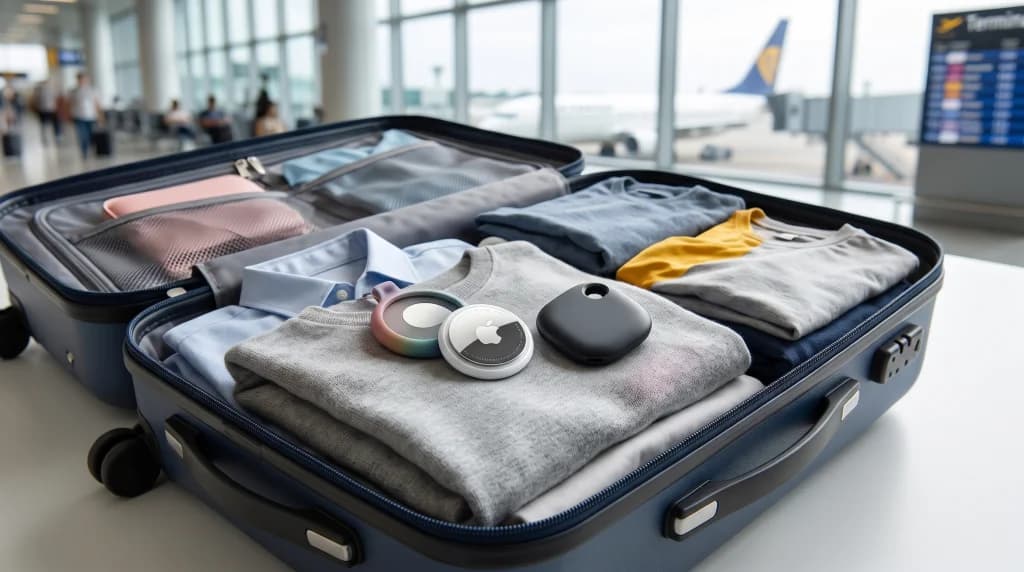
Introduction: A Suitcase Revolution That Outsmarted Airport Systems
For decades, the moment a passenger placed a suitcase onto the check-in drop-off belt, they surrendered all visibility over it. Once the bag vanished behind the rubber curtain, it entered a closed, nearly opaque ecosystem of airport Baggage Handling Systems (BHS), tarmac dollies, and aircraft cargo holds. If the suitcase failed to appear on the arrival carousel at the destination airport, the traveler's only recourse was filing a PIR (Property Irregularity Report) and relying on the global WorldTracer database—which often showed nothing more than the last barcode scan, potentially taken ten hours earlier on an entirely different continent.
Everything changed with the arrival of miniature next-generation Bluetooth trackers—led by the Apple AirTag and Samsung Galaxy SmartTag (alongside Tile and Chipolo networks supporting Google Find My Device). Travelers began slipping these tiny, coin-cell-powered discs into their checked luggage en masse. Suddenly, a passenger standing in the arrivals hall knew far more about their delayed bag's whereabouts—and knew it far sooner—than the airline's ground handlers. High-profile media controversies erupted as travelers proved to carriers that their supposedly "located" suitcase was not en route at all, but sitting in a third-party courier warehouse or even a private residence. In response to this newfound transparency, some airlines attempted to ban luggage trackers outright, sparking a fascinating clash between carriers, aviation regulators, and tech giants.
How Do AirTag and SmartTag Work Inside a Metal Aircraft Hold?
To understand both the effectiveness and the limitations of luggage trackers in aviation, it is worth dispelling a common misconception first: neither Apple AirTag nor Samsung SmartTag contains a built-in GPS receiver or a SIM card. If they housed a satellite transceiver and cellular modem, their batteries would drain within hours, and the module would have virtually zero chance of locking onto GPS satellites from inside a sealed metal aircraft cargo hold or an underground airport sorting facility.
Instead, these trackers rely on an ingeniously simple architecture built around a crowdsourced Bluetooth Low Energy (BLE) network and UWB (Ultra-Wideband) technology:
- BLE Beacons and a Billion-Device Network: Every few seconds, the tracker broadcasts an encrypted, ultra-low-power Bluetooth radio signal (on the 2.4 GHz band) with a typical range of 30 to 100 feet (10 to 30 meters). Whenever any compatible smartphone passes near your suitcase—whether on the airport apron, inside a baggage sorting hall, or in the passenger cabin directly above the cargo hold—that device (an iPhone for Apple's Find My network, or a Samsung Galaxy phone for SmartThings Find) anonymously detects the tracker's signal, pairs it with its own GPS coordinates, and relays an encrypted location report to cloud servers.
- Why It Works So Well at Airports: Airports feature an extraordinary density of people carrying smartphones—from thousands of travelers to ramp agents, aircraft mechanics, and flight crews. As a result, at major transit hubs (such as Frankfurt, London Heathrow, Amsterdam Schiphol, Dubai, or Warsaw), a suitcase's location updates nearly in real time, often down to the exact boarding gate or aircraft parking stand.
- Precision Finding with UWB: Once you are within a few yards of your suitcase (for instance, inside a crowded baggage claim storage room filled with hundreds of identical black roller bags), Ultra-Wideband hardware (Apple's U1/U2 chip or UWB in SmartTag2) allows your phone to pinpoint the exact direction and distance to the tracker within inches.
The Ban Controversy: Can Airlines Forbid AirTags in Checked Luggage?
In October 2022, at the height of post-pandemic baggage chaos across European airports, aviation headlines were dominated by a surprising announcement: Germany's Lufthansa declared that passengers were prohibited from packing active AirTags in checked luggage, instructing travelers to switch them off completely before bag drop. The carrier cited International Civil Aviation Organization (ICAO) Dangerous Goods Regulations, arguing that devices emitting radio signals and powered by lithium batteries must be deactivated inside the cargo hold.
The policy triggered an immediate public backlash and pushback from both passengers and aviation safety experts. Within days, Germany's Federal Ministry for Digital and Transport and the Federal Aviation Office (Luftfahrt-Bundesamt – LBA) settled the debate, officially confirming that ultra-low-power tracking devices (such as AirTags) pose no threat to aircraft navigation systems or flight safety and are therefore fully permitted in checked baggage. Lufthansa swiftly reversed its ban, and both the International Air Transport Association (IATA) and the U.S. Federal Aviation Administration (FAA) subsequently updated their guidance to reaffirm that Bluetooth trackers are safe for checked bags.
What Do ICAO and IATA Rules Actually Say About Tracker Batteries?
Under aviation safety regulations, the decisive factor is the type of battery powering the device. Popular trackers (Apple AirTag, Samsung SmartTag, Tile) use a standard, non-rechargeable lithium-manganese (lithium-metal) coin cell battery, specifically the CR2032.
Under strict IATA Dangerous Goods Regulations, portable electronic devices containing lithium-metal batteries may be carried safely in both carry-on and checked baggage, provided the lithium content does not exceed 2 grams (or 100 Wh for rechargeable lithium-ion batteries). A standard CR2032 coin cell contains only about 0.06 to 0.09 grams of lithium—more than twenty times below the regulatory safety threshold. Furthermore, the transmit power of a Bluetooth Low Energy radio is negligible (under 1 mW) and causes zero electromagnetic interference with aircraft avionics.
Important note: Custom GPS trackers equipped with built-in rechargeable lithium-ion batteries (charged via USB) and cellular GSM modems are treated differently—some airlines (particularly in Asia) require such devices to feature automatic flight-mode cellular shutoff or restrict them strictly to carry-on luggage.
The "Share Item Location" Revolution: How Airlines Partnered With Apple
Rather than fighting consumer technology, forward-thinking airlines have integrated it directly into their official baggage recovery workflows. A major breakthrough arrived with the release of iOS 18.2, in which Apple introduced Share Item Location.
When a checked bag is delayed, this feature allows the passenger to generate a secure, temporary web link inside the Find My app and share it directly with an airline baggage service agent or attach it to a delayed-baggage claim. Airline staff can open an interactive map on their workstation to view the bag's live location. To protect user privacy, location sharing expires automatically after seven days—or the moment the traveler is reunited with their suitcase and reconnects via their own phone.
Dozens of leading global carriers swiftly adopted the feature—including United Airlines, Delta Air Lines, British Airways, Lufthansa Group (Lufthansa, Swiss, Austrian Airlines, Brussels Airlines), KLM, Air France, Iberia, Qantas, Singapore Airlines, and Air New Zealand. Moreover, the system integrates directly with SITA WorldTracer, the baggage-tracing platform used by more than 500 airlines and airports worldwide.
Practical Traveler's Guide: How to Conceal and Configure a Luggage Tracker
Simply tossing a tracker loose into the bottom of your suitcase is a mistake that can undermine recovery if a bag is stolen or a zipper bursts during automated sorting. To maximize tracking reliability, follow these proven best practices:
- Install a Fresh Battery Before Long Trips: A typical CR2032 battery lasts roughly 10 to 12 months. If the battery indicator in your app dips below 30%, replace the cell before departure. Cold temperatures inside unheated cargo bays or on winter airport tarmacs can abruptly drop the voltage of a weakened coin cell.
- Avoid Batteries With Bitter Coatings: Certain battery manufacturers (such as Duracell) coat CR2032 cells in an invisible, bitter-tasting substance designed to deter young children from swallowing them. That coating can insulate the electrical contacts inside an Apple AirTag and prevent it from powering on. Choose standard uncoated CR2032 batteries, or wipe the cell thoroughly with isopropyl alcohol before installation.
- Hide the Tracker Deep Beneath the Lining: Never clip an AirTag to the outside of your suitcase as a luggage tag—a thief or dishonest handler can snap it off in two seconds. The best hiding spots are a zippered interior pocket, the service-zipper cavity beneath the suitcase liner, or a dedicated screw-on mount attached to the internal telescoping handle rails.
- Keep It Away From Thick Metal Surfaces: Metal shields 2.4 GHz Bluetooth radio waves. Never place a tracker inside a metal tin or pressed directly against a large laptop—and if you travel with an aluminum suitcase (such as a Rimowa), place the tracker inside a fabric interior divider pocket away from the outer shell, or pack it inside a soft-sided bag.
Conclusion: A Tiny Disc That Delivers Priceless Peace of Mind
Trackers like AirTag and SmartTag have permanently shifted the balance of power between airline passengers and carriers. Gone are the days of waiting helplessly by the phone for a call from an airport baggage desk while listening to vague assurances that "the system is still searching." Today's traveler holds verifiable digital proof that not only shaves days off recovering a delayed suitcase, but has also compelled the global aviation industry to modernize decades-old baggage tracking workflows.
A single tracker costs a fraction of an airline ticket, yet the peace of mind that comes from glancing at your phone before takeoff and confirming your suitcase is safely loaded beneath your feet is priceless for any savvy traveler.